
Guides / Choosing software
MindVaultEraser™ — an alternative to BitRaser and Eraser
If you regularly remove confidential files, the steps around erasure matter too. MindVaultEraser lets you select files where you work, check a plan suited to the drive and review the outcome in one Windows app.
MindVaultEraser™ is worth a look if you want to erase selected Windows files without choosing an algorithm for every task. EraseIQ™ selects a supported method, Quick Capture helps you select files, and Chain of Custody™ records the operation. Pro adds reports and automation.
Written by MatechCode Engineering, the developer of MindVaultEraser™. This comparison covers everyday file erasure and documented features; it is not a comparative recovery test. Vendor sources reviewed 28 October 2026.
What MindVaultEraser brings to everyday use
The aim is to make regular file erasure easier to follow. You choose the documents, review the proposed method and check what happened to each file. The same app keeps the operation record, with reports and repeatable rules available in Pro.
EraseIQ™: check the plan before you start
EraseIQ recognises the drive type and selects a supported method. The plan shows what the app intends to do and the limitations to read before confirming.
See how it works →Quick Capture: select files where you see them
Hold Ctrl and use the left mouse button to select files on the desktop or in Explorer. Quick Capture moves them into the special folder, ready for the next step.
See how it works →One place for files you are finished with
Move documents into the special folder instead of finding them again in the app. Start erasure yourself, or use the folder rules you have set up in Pro.
See how it works →An operation record in both editions
Chain of Custody keeps a local record tied to the operation. Standard includes this record and the supported erasure process; you do not need Pro for the core task.
See how it works →Pro reports: keep the details you need
Review the report and export it as PDF, HTML, CSV or JSON. It records the work performed, including the warnings that matter when you return to it later.
See how it works →Pro automation for recurring tasks
Set a schedule, define rules for new files or trigger erasure by email. You configure the scope in advance; the computer and app must be running.
See how it works →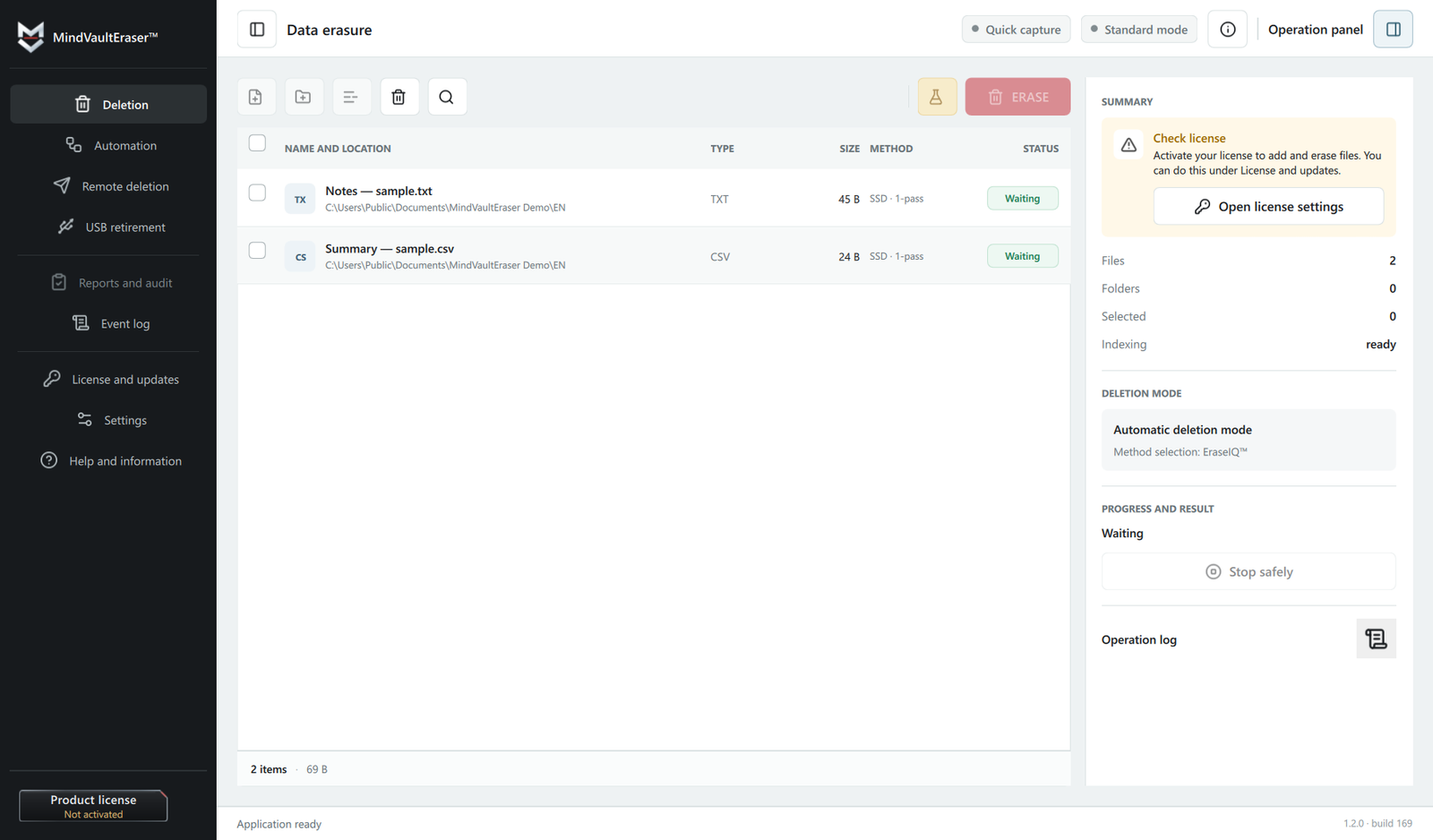
Compare the work you need to do
Removing a few documents, clearing a working folder every week and retiring a laptop are different jobs. Compare the tools for the job you actually have: the supported system, how files are selected, what happens on your drive and how you check the result.
| Tool | Workflow | What to check |
|---|---|---|
| MindVaultEraser™ | Selected Windows files, with an EraseIQ™ plan and a local operation record. Pro adds reports and automation. | Try Quick Capture, review the drive limitations and check the result after an operation. |
| BitRaser File Eraser Corporate | File and folder erasure, application traces, scheduled tasks and reports, as described by the vendor. | Check the exact edition, operating system and reporting requirements for your organisation. |
| Eraser | A free, open-source Windows tool built around manual and scheduled tasks. | Review the task settings, the selected targets and how you will check the task log. |
| Microsoft SDelete | A command-line utility for files, directories and free-space cleaning. | Read the parameters carefully, including the target and whether subdirectories are included. |
Comparison sources: BitRaser File Eraser Corporate, Eraser, Eraser tasks, Microsoft SDelete. Reviewed 28 October 2026. Features and licence terms depend on the edition and release.
MindVaultEraser or BitRaser File Eraser?
For regular file erasure on a Windows computer, MindVaultEraser offers a direct route from the desktop to the operation result. Quick Capture and the special folder reduce the need to browse for the same files again, while EraseIQ™ prepares the method and warnings for review.
BitRaser File Eraser Corporate also offers scheduling and reporting, and its brochure describes application-trace erasure and cloud report storage. If those are part of your requirements, compare the relevant edition directly. BitRaser Drive Eraser is a separate product; whole-drive erasure and selected-file erasure should not be treated as the same task.
A plan you can review before erasure
Eraser is a useful free option if its task-based approach suits you. SDelete is an option when you are comfortable specifying targets and parameters at the command line. There is no need to pay for features you will not use.
Choose MindVaultEraser if you would rather review the drive, method and warnings in a visual plan. EraseIQ™ selects a supported method, and Chain of Custody™ keeps the operation record. Pro’s report is useful when you also need to save or share the details.
What changes on an SSD?
An SSD decides internally where data is stored. Rewriting a file does not prove that every older physical copy has been overwritten, and extra passes do not solve that problem. MindVaultEraser explains the limitation rather than presenting an SSD result as a whole-device guarantee. A report records the operation; it cannot change how the drive works.
See how HDD and SSD erasure differ. If you are selling or donating a computer, choose a procedure that covers its drives as a whole.
Standard for erasure; Pro for reports and automation
Standard includes the supported erasure process, EraseIQ™, Quick Capture, the special folder and Chain of Custody™. You can erase files, check the result and read the warnings without Pro.
Pro adds the report with PDF, HTML, CSV and JSON exports, plus automation, scheduling and email-triggered erasure. Pro Founders Edition provides the same features as Pro under the launch offer. Check the MatechCode Store for the current offer and licence terms.
Try it with files you can afford to erase
Create a few test files on the drive you normally use. Select them, review the plan, run an erasure and read the result. Then open the report. This is a better way to judge the app than comparing a long list of overwrite methods, and it keeps your working documents out of the test.
The free Pro — 14-Day Evaluation runs for 14 days on one device, with up to 5 completed operations and 1 GB in total. No card is required. You can preview reports and export one PDF marked as an Evaluation copy. Automation and email control are available to configure and preview; running them requires Pro. Download the free trial for Windows.
For a closer look before installing, see the features in action. If the workflow fits, compare Standard and Pro and choose the features you need.