
Confidential documents
You have finished working with documents and want to remove selected files. Review the scope, start the operation and check the outcome.
MindVaultEraser™ · data deletion
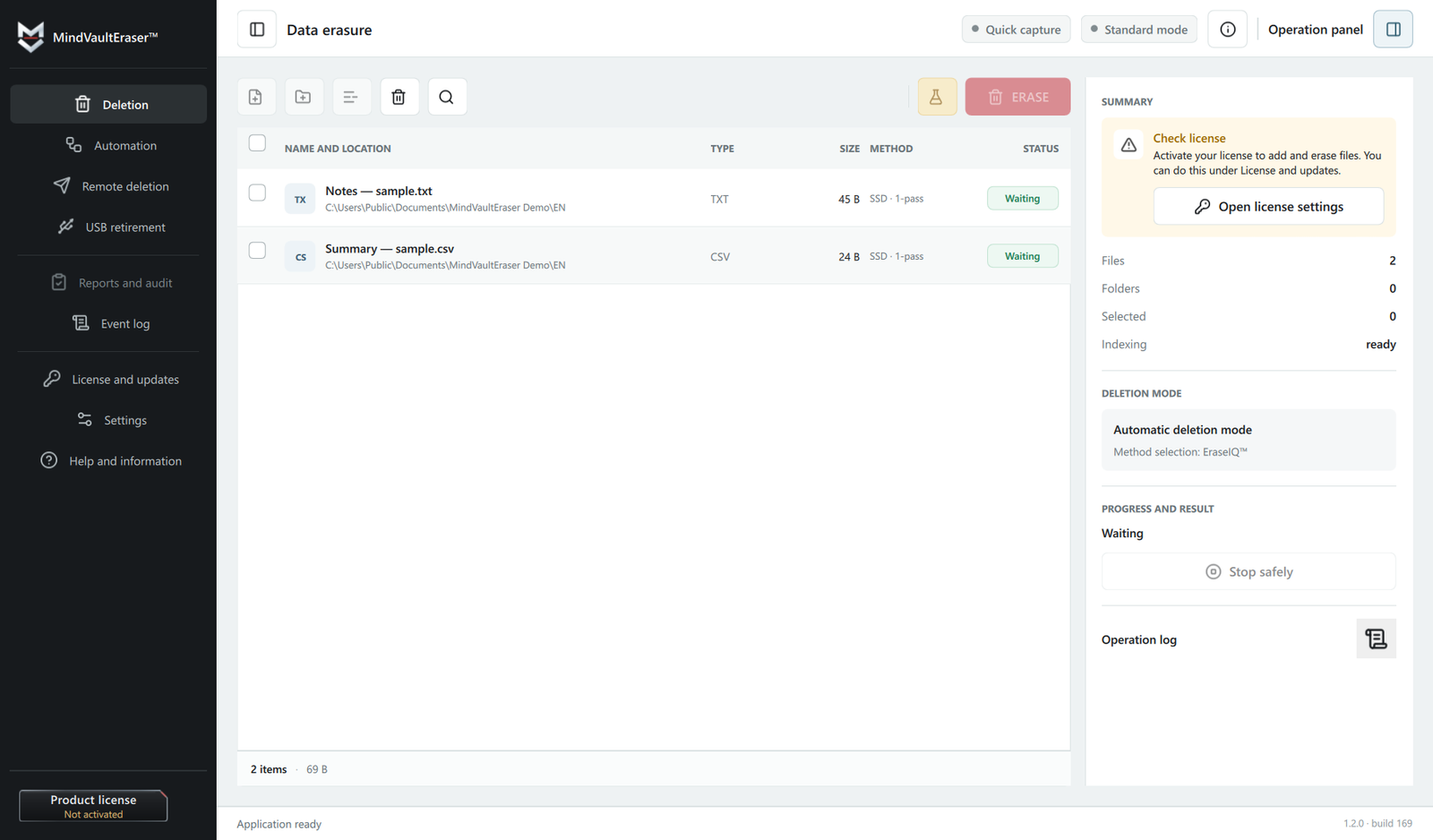
MindVaultEraser™ deletes selected files and folders from your Windows computer. EraseIQ™ selects a method for your storage, while you see the progress and outcome.
14 days. No card required. 1 computer, up to 5 operations and 1 GB in total.
Windows 10 and 11 · 64-bit (x64). Not available for macOS.
Deletion runs locally on your computer.
EraseIQ™ takes storage type and technology limits into account.
Results and warnings in the app. Deletion reports in Pro.
MindVaultEraser™
Choose the situation that matches your day-to-day work.
You have finished working with documents and want to remove selected files. Review the scope, start the operation and check the outcome.
Clear local working copies after a task is complete. The dedicated folder and Quick Capture help collect files for deletion.
You regularly remove files you no longer need. Pro adds scheduling and deletion reports to simplify recurring work.
MindVaultEraser™ / Features in practice
Choose the files, understand the plan and keep the operation record. Here is how the features fit into your day.
 Choosing the deletion method
HDD, SSD, NVMe. Which method should you use?
EraseIQ™ is the deletion planning mechanism. It identifies the storage type and selects a supported method while accounting for the medium’s limitations.
 The operation record
What did the application actually do?
Chain of Custody™ is a local record of the operation’s stages: accepted files, the plan, actions performed and the outcome. It connects these details into one workflow with consistency checks for its entries.
Quick Capture
With Quick Capture active, hold Ctrl and drag a selection with the left mouse button on the desktop or in File Explorer. When you complete the gesture, the app moves accepted files to the special folder.
This moves the files rather than creating another copy. With automation off, you start deletion yourself. Enabled Pro automation may start deletion according to your configured rules.
Quick Capture, step by step ↗ Special folder2 items received
Quick Capture is active in the app.
Gesture illustration using example files.
 One place for files to remove
Working copies are left in different folders?
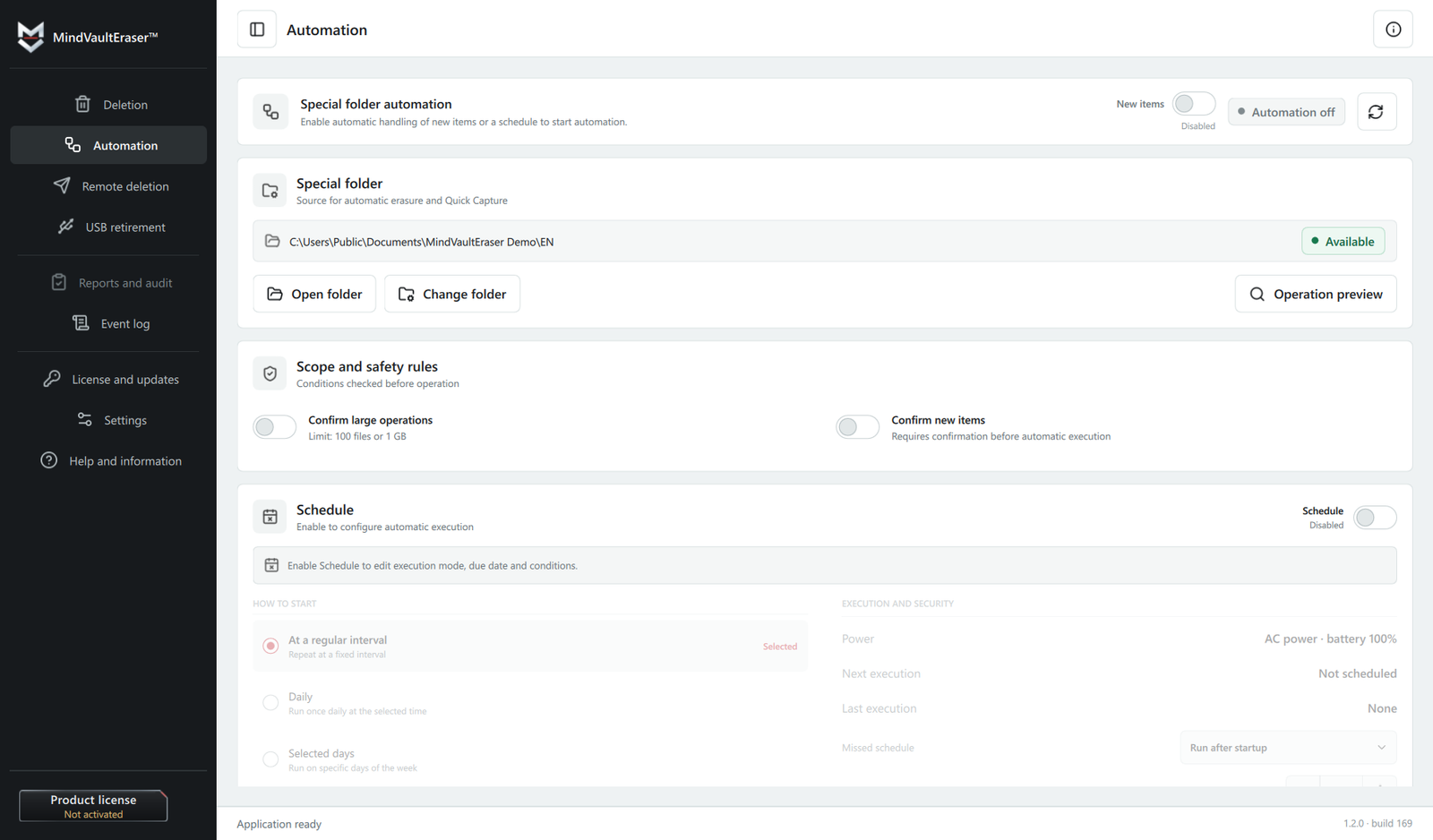
The special folder is a dedicated folder you choose for MindVaultEraser™. It gathers material intended for deletion, including files passed in through Quick Capture.
 Recurring tasks
Remembering the same cleanup every day?
Pro can start deletion when new items are detected or on a schedule: at an interval, every day or on selected weekdays.
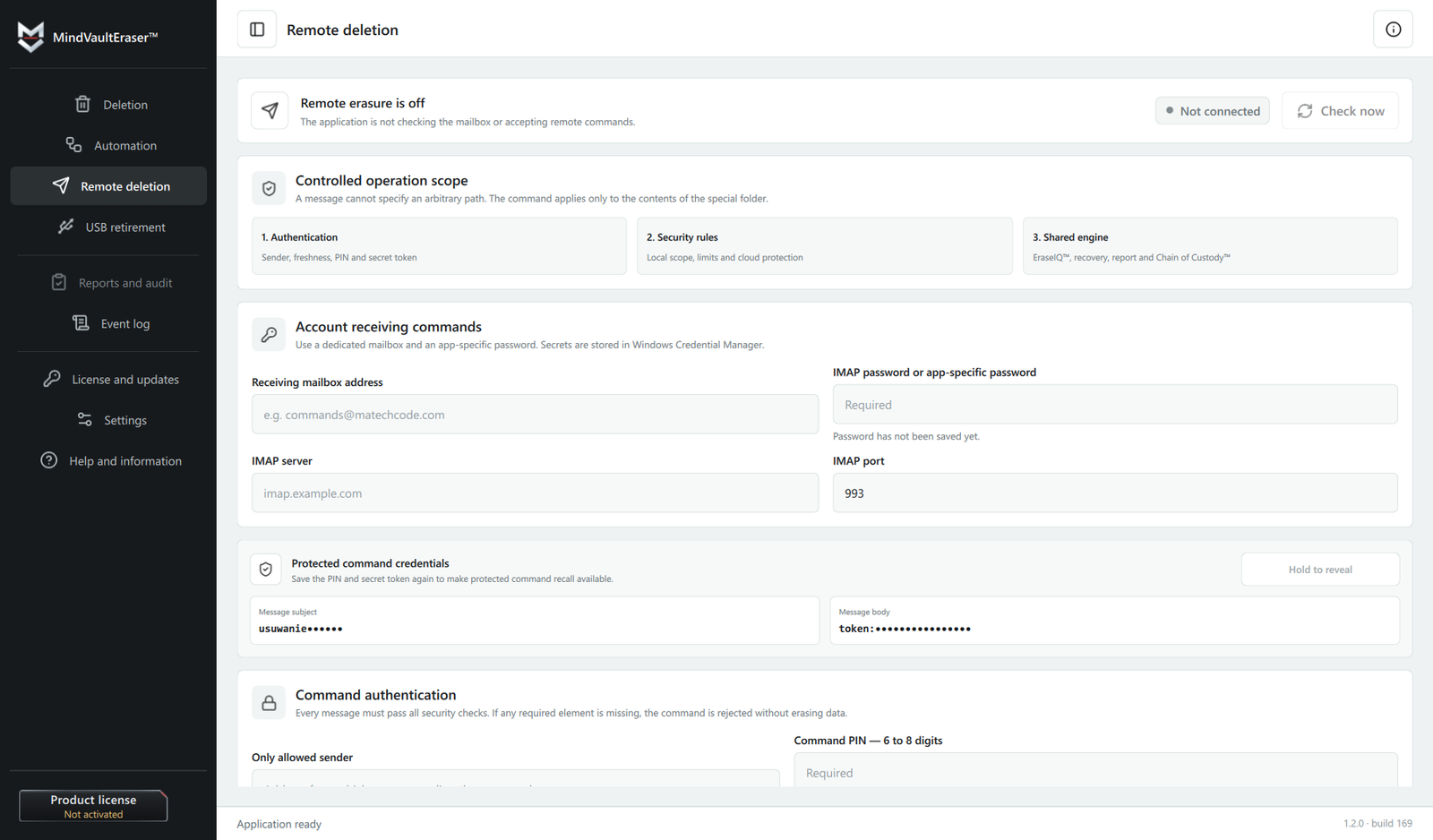
 A command for your prepared folder
Away from your computer, with the files already prepared?
After prior configuration, Pro receives an authenticated email command and passes the special folder’s contents into the same controlled deletion workflow.
Standard includes deletion, Quick Capture, the special folder and the operation record. Pro adds the report, automation and email control.
Explore all six features ↗A transparent process
Every operation starts with your decision. The app guides you through selection, execution and reviewing the result.
Add files or folders. Review the list before confirming deletion.
Review the method chosen for your storage, along with requirements and limitations.
Confirm deletion. Follow progress and application messages.
Check completed actions and warnings. With Pro, you can save the operation report.
Operation records
After an operation, you get a summary of what the app did, the outcome and anything that needs attention. Keep it in your records or include it with completed work.
The report documents actions recorded by the app. This example is not an independent certificate or a qualified timestamp.
On SSDs and flash storage, the controller manages physical data writes. Deleting individual files cannot guarantee that every memory cell is cleared. Cloud copies, backups and copies elsewhere require separate removal.
Planned launch offer
A one-time purchase of a Pro license, including 12 months of updates and support from first activation. Afterwards, you can keep using the last version covered by your license.
Founders lasts 30 days from the actual sales launch or until 100 licenses are sold, whichever comes first. Ending the offer does not expire a purchased Pro license.
Sales have not opened yet. Joining the launch list is not an order or a license reservation.
one-time payment
Planned post-launch offer
Standard provides the complete deletion process available for your storage device. Pro adds automation, remote features and deletion reports.
On small screens, scroll the table horizontally to compare every option.
| Features | Evaluation14 days · 5 operations | StandardComplete deletion | ProAutomation and report | Pro Founders EditionPro at a launch price |
|---|---|---|---|---|
| Deletion with EraseIQ™ method selection | Yes | Yes | Yes | Yes |
| Resuming an interrupted operation | Yes | Yes | Yes | Yes |
| In-app result and warnings | Yes | Yes | Yes | Yes |
| Quick Capture from File Explorer | Yes | Yes | Yes | Yes |
| Dedicated deletion folder | Yes | Yes | Yes | Yes |
| Automation and scheduling | Preview | No | Yes | Yes |
| Chain of Custody™ — operation records | Yes | Yes | Yes | Yes |
| Deletion report and PDF, HTML, CSV, JSON export | Preview + 1 PDF | No | Yes | Yes |
| Shadow copy (VSS) handling and ReTRIM | Yes | Yes | Yes | Yes |
| USB retirement workflow | Preview | Yes | Yes | Yes |
| Remote deletion triggered by email | Preview | No | Yes | Yes |
| Access duration | 14 days | Perpetual¹ | Perpetual¹ | Perpetual¹ |
| Updates and support | During Evaluation | 12 months¹ | 12 months¹ | 12 months¹ |
| Trial operation cap | 5 completed | No trial cap | No trial cap | No trial cap |
| Total Evaluation data cap | 1 GB | No trial cap | No trial cap | No trial cap |
| Price | Free14 days | 99.50 PLNOne-time payment | $49.50 USDOne-time payment | $34.50 USDOne-time payment |
| Planned availability | From sales launch | After Founders | After Founders | First 30 days or 100 licenses² |
| Choose an option | Notify me about Evaluation | Notify me at launch | Notify me at launch | Notify me at launch |
¹ Paid licenses: keep using the version covered by your license. Updates and support last 12 months from first activation. Evaluation is for assessing the software. After 14 days, new deletion is blocked; history and reports remain accessible. Activate a purchased key without reinstalling.
² Pro Founders Edition includes every Pro feature. Launch pricing lasts 30 days from sales launch or until 100 licenses are sold, whichever comes first. PLN prices include VAT.
At launch: Pro — Founders License. The complete Pro feature set for $34.50 USD. Founders describes the launch offer; it is not a third software edition.
View FoundersStandard and regular Pro go on sale as soon as Founders ends: 30 days after sales actually start or when 100 licenses are sold, whichever comes first. Sales have not opened yet. VSS and ReTRIM availability depends on the system, permissions and storage device.
MatechCode Engineering
MatechCode is an independent project by Mateusz Tonkowicz. We are developing the MindVault series for people and teams who want to make informed decisions about their data. MindVaultEraser is the first product in the series.
We focus on local processing, understandable messages and an honest description of capabilities. Product questions go directly to the developer.
Yes. The plan takes SSDs and flash storage into account. Controller limitations mean that deleting an individual file cannot guarantee clearing every physical memory cell.
Erasure runs locally. The contents of your files are not sent to our licensing service. Standard, Pro and Pro Founders require an online licence check every 30 days, with a further 14-day grace period for connection problems. After 44 days, new erasure operations require a successful licence check. Saved reports, history and settings remain available.
The app records progress in a journal. Operation recovery helps identify remaining items and complete the work. Results and warnings are included in the report.
The planned launch date is 28 September 2026. It may change. After you confirm your signup, we will email you when the app is available.