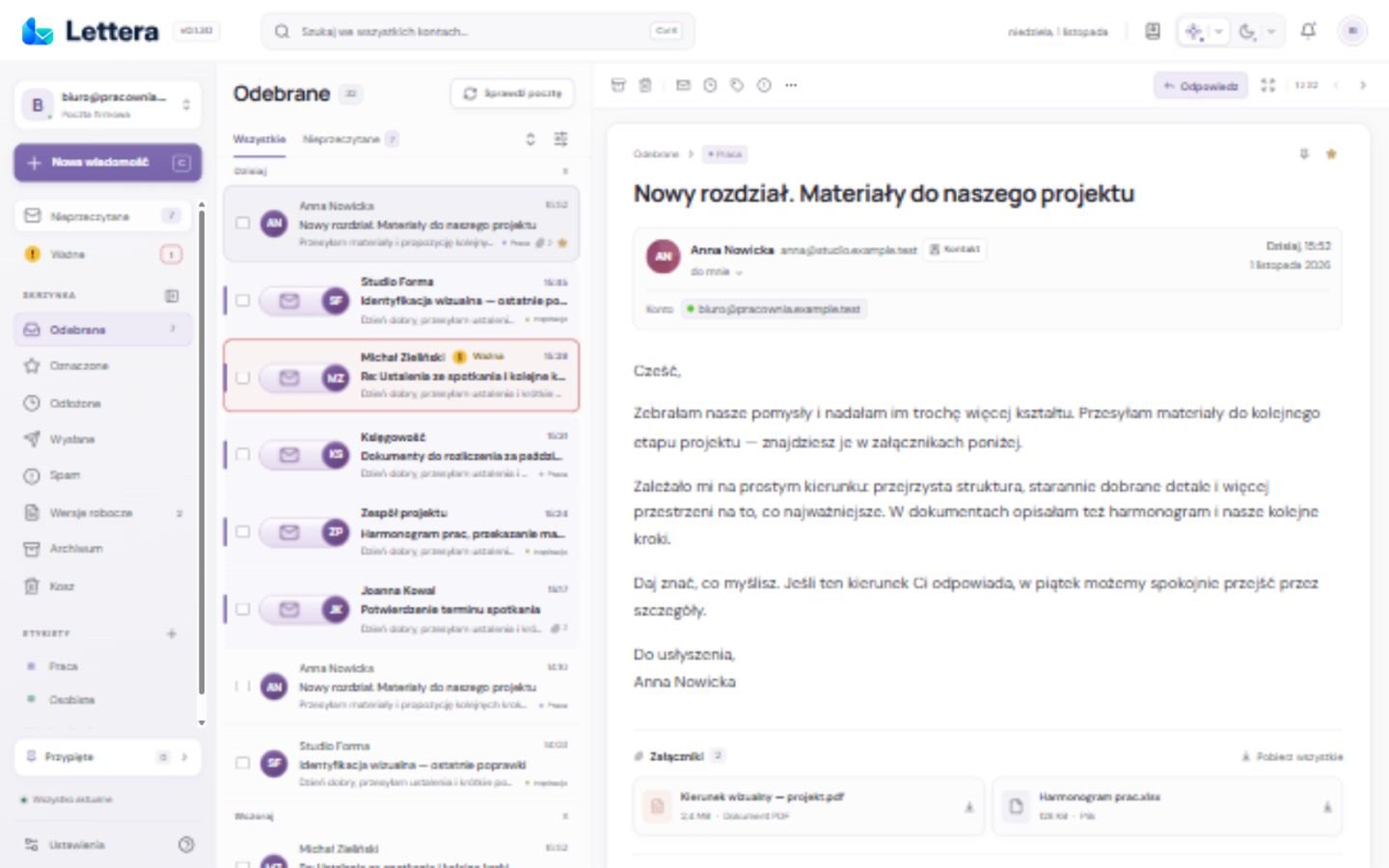
Several accounts, one view
Bring messages from different addresses into a combined list. An account label beside each message shows which address received it. Choose an account whenever you want to focus on a single mailbox.
Search covers messages downloaded to the app from your selected accounts. Filters narrow the list to unread or important messages, or those with attachments.
Priorities you can see
The Unread view gathers messages waiting to be read and shows their count. Important messages stand out with a red border and a label beside the sender. Pin messages and contacts you return to often.
- Snooze messages until later or move them to the archive.
- Select several messages, use context menus and keyboard shortcuts.
- Restore messages from Trash; permanent deletion is a separate action.
Find contacts in your own words
Add your own keywords to a contact, such as “accountant”, “renovation” or “events”. When you enter a recipient, Lettera searches these words as well as names, companies and email addresses. Choose a suggestion to fill in the right address.
Room to write and attach files
Reply beside a message or open a separate compose window. Add files and photos, review the attachment list and remove anything you do not want to send. Drafts let you return to an unfinished message.
Choose a greeting with one click. Lettera matches a closing to it, which you can change yourself. Once sending begins, you can continue browsing your mailbox while the app shows its progress.
A more comfortable reading view
Read messages with their formatting and images, or switch to plain text. Automatic sizing considers the reading panel’s width. Manual Fit and original-size views remain available.
Attachment previews and download status help you check a file before working with it. HTML content is displayed in an isolated message area.
A calm everyday workspace
Choose a light or dark theme and a colour palette for each. A collapsible sidebar and adjustable columns give more space to the message list or reading panel.
On Windows, Lettera can run in the system tray. While running, it checks for mail approximately every two minutes and can announce new messages with a compact notification and sound. These options are available in Settings.
In testingKeep a message in your private vault
The Windows integration being tested lets you send a message or selected attachments to an unlocked MindVault Safe vault on the same computer. Choose a destination vault and check the operation’s result. Safe is currently in private testing.